 MoatKey
One person shouldn't be the only way in.
MoatKey is a password manager for the logins your family or team share. Everyone keeps a private vault, and nobody hands over a master password.


Free to start. See plans


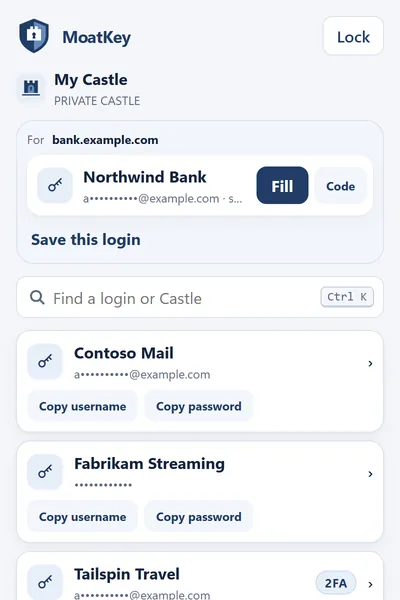
A Castle is a vault with a guest list.
- Everyone has a roleDecide who can only use a login and who can change it.ViewerEditorCastle Admin
- Remove a person, keep the passwordsWhen someone leaves, take them off the list. You do not have to hand out a new master password.
- Check who you are sharing withCompare safety numbers with a new member to confirm nobody swapped a key on the way.
What MoatKey can't do
These are limits we built in on purpose, plus one thing we have not done yet.
- We can't read your vault.
Logins and codes are encrypted on your device before they sync. Our servers store only the encrypted form.
- We can't reset your master password.
We never have it. Keep your Emergency Kit somewhere safe; it is the way back in.
- We can't show you an outside audit yet.
MoatKey has had an internal security review, not an independent one. How the security works, in detail
Plans
Free
Up to 50 saved items, built-in authenticator codes, password generator, import, password health, and 1 shared Castle for you and 1 other person.
$0
Family
Unlimited saved items and shared Castles, up to 6 people, the Dungeon, Secure Drop, comments and requests.
$4.99 a monthor $49.90 a year
Team
For businesses, from 3 people up. Available in the browser extension (out now for Chrome and Edge). MoatKey for business
$5 a person a monthor $50 a person a year
Paid plans renew automatically until you cancel. Cancel any time; it takes effect at the end of the period you've paid for. In the browser, payments are processed by Stripe; on Android, subscriptions are billed and managed by Google Play. See the MoatKey Terms and our Refund Policy.
Coming from somewhere else?
Get MoatKey
Free to start on iPhone, iPad, Android, Chrome and Edge. It also works in Brave, Opera and other Chrome-based browsers.